2FA setup with authenticator app
To set up 2-factor authentication with an "authenticator" app like Microsoft Authenticator or Google Authenticator, follow the steps below.
- Go to My account(Min konto) by clicking the arrow in the top right of the image (1) and then on My account
Click Set up 2-factor authentication (3)
Click Set up authenticator app (4)
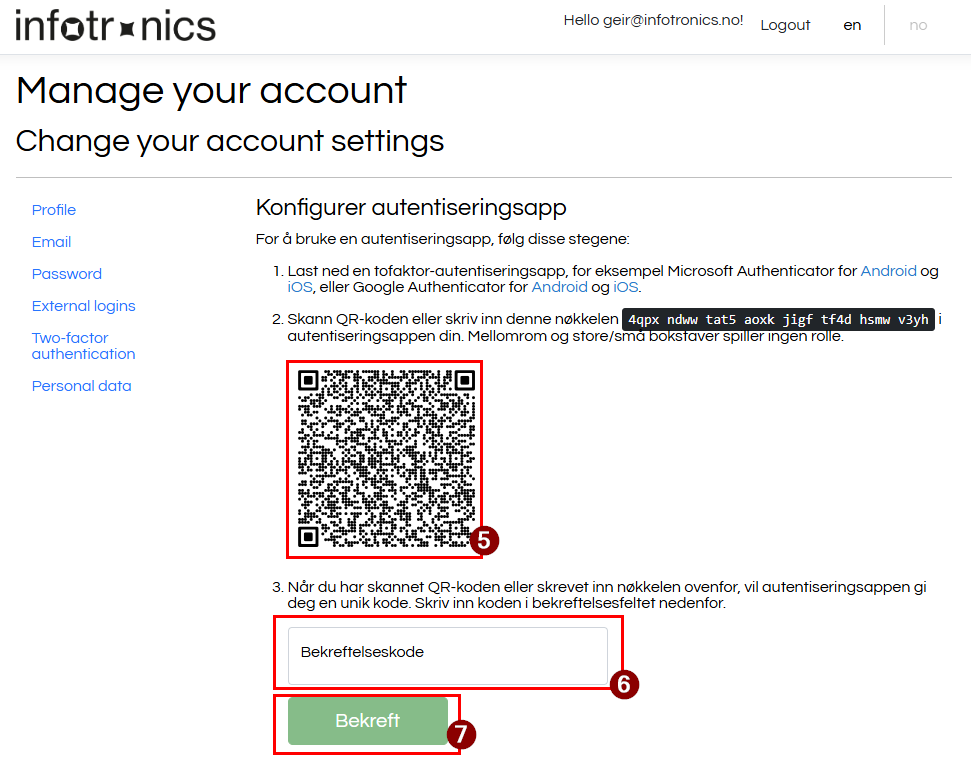
Scan the QR code (5) with your authenticator app, enter the code from the app in the field (6) and click Confirm (7)
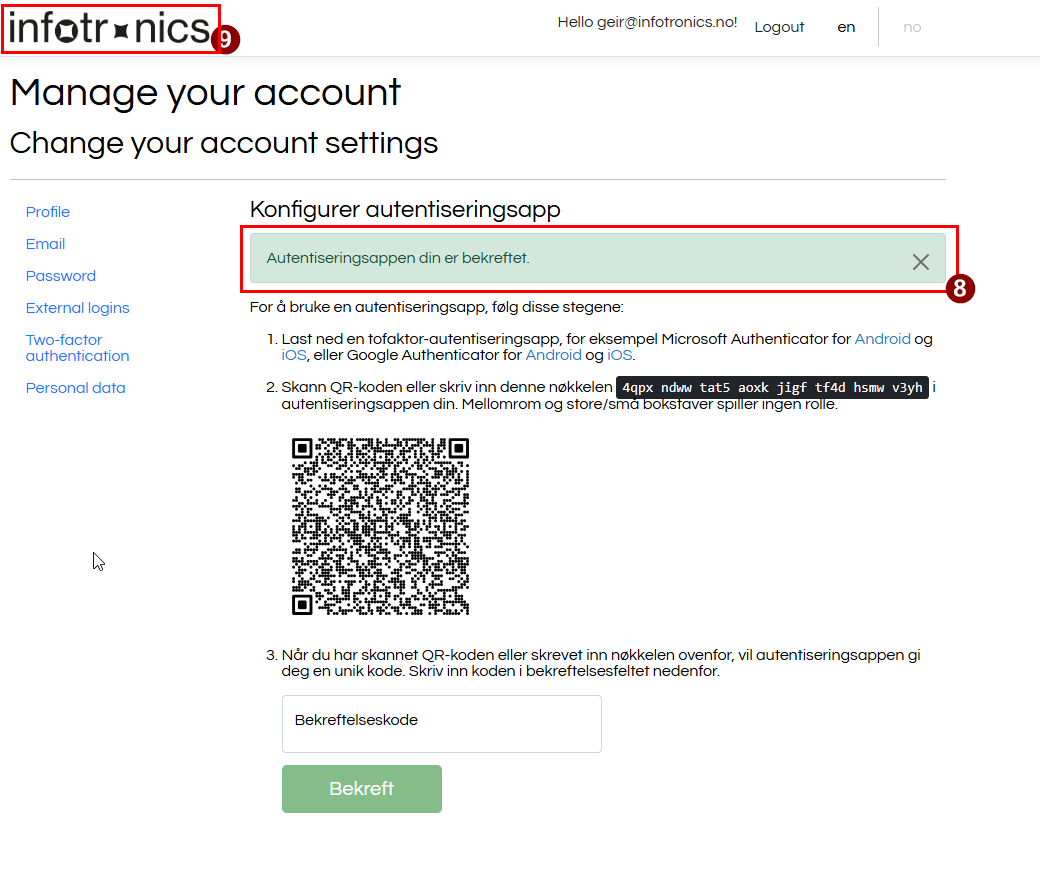
- Check that you receive the confirmation (8) as shown below. You will now be asked to enter 2FA credentials at next login.
- Click the Infotronics logo (9) to return to the solution